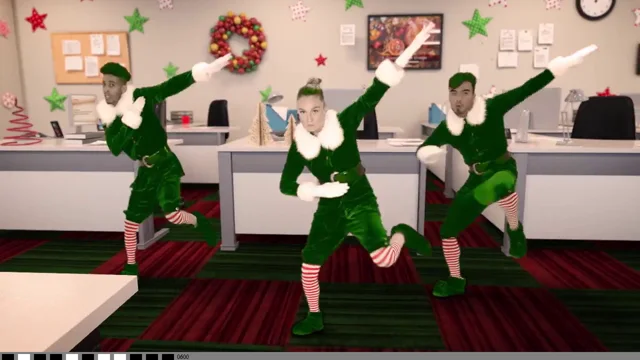
Photo to dancing elf video · Solo, duo or trio

Elf Dance AI Dancing Elf Video Maker

Elf Dance AI puts your real face on a real-looking dancing elf: upload one photo per dancer and everyone gets an elf costume — pointed hat, green coat, striped stockings — for a 10-second elf dance, on your own, with a friend or as a trio.

No filming · 10s vertical MP4 · One photo per dancer

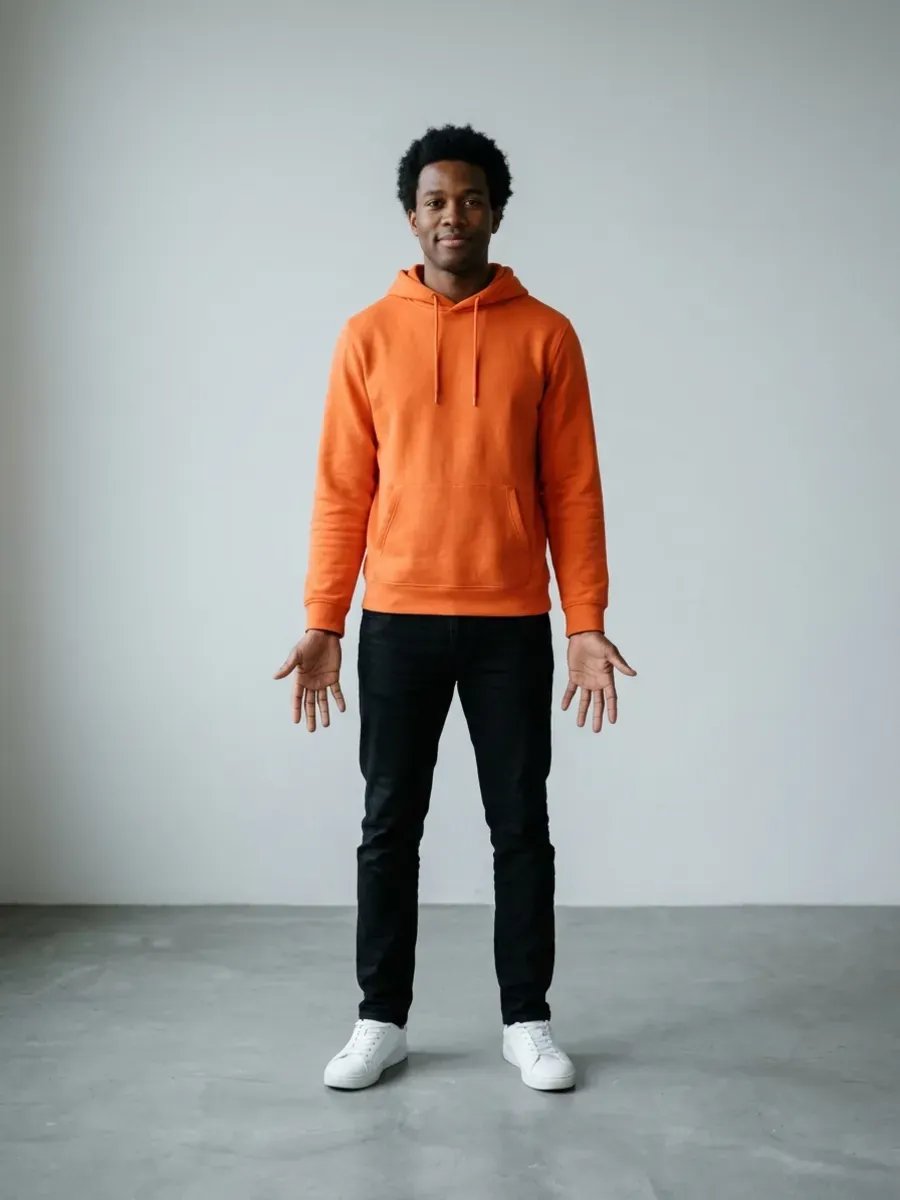
Input photo: one AI-generated adult test person, front-facing
Input photo
AI-generated sample · 1 photo + text · 4 s cut of the 10 s video
See a sample ↓
Who is dancing · one photo per dancer
Pick a scene

Add 1 photo of you

Your face and hair come from your photo; the elf costume and the scene are added by the AI. The video has no sound — add one in the app when you post.

  • Photos used only for your video, never to train AI, deleted after 7 days
  • Only upload adults who agreed · failed videos refund your credit

Real samples

Real AI elf dance video samples: photo in, elf out

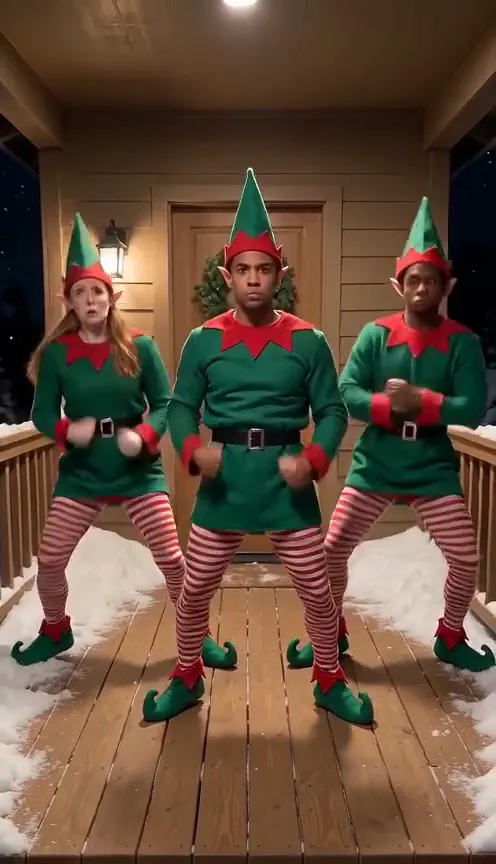
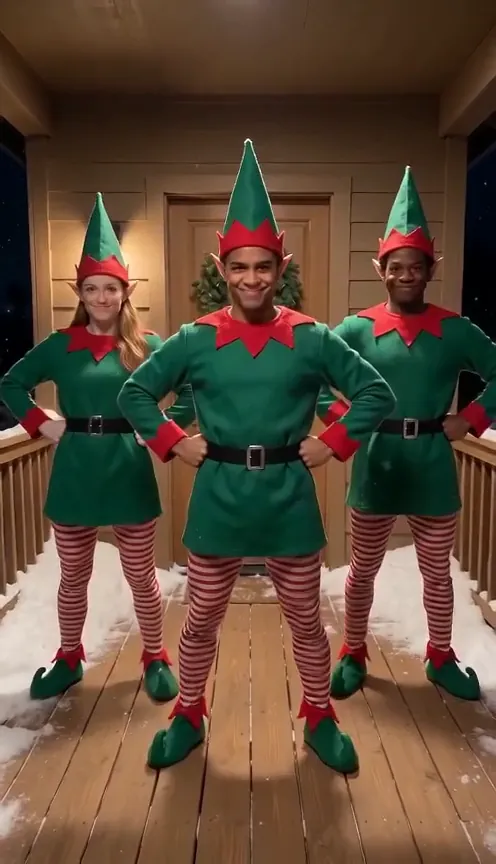
Every card shows the input photo(s) next to the clip they became: Solo on the Meeting Table and Trio on the Snowy Porch. Each clip is one generation from AI-generated test photos of adults (no real people) plus our text description of the moves, not edited afterwards. Samples are 4-second test cuts to keep costs down; the video you make is 10 seconds.

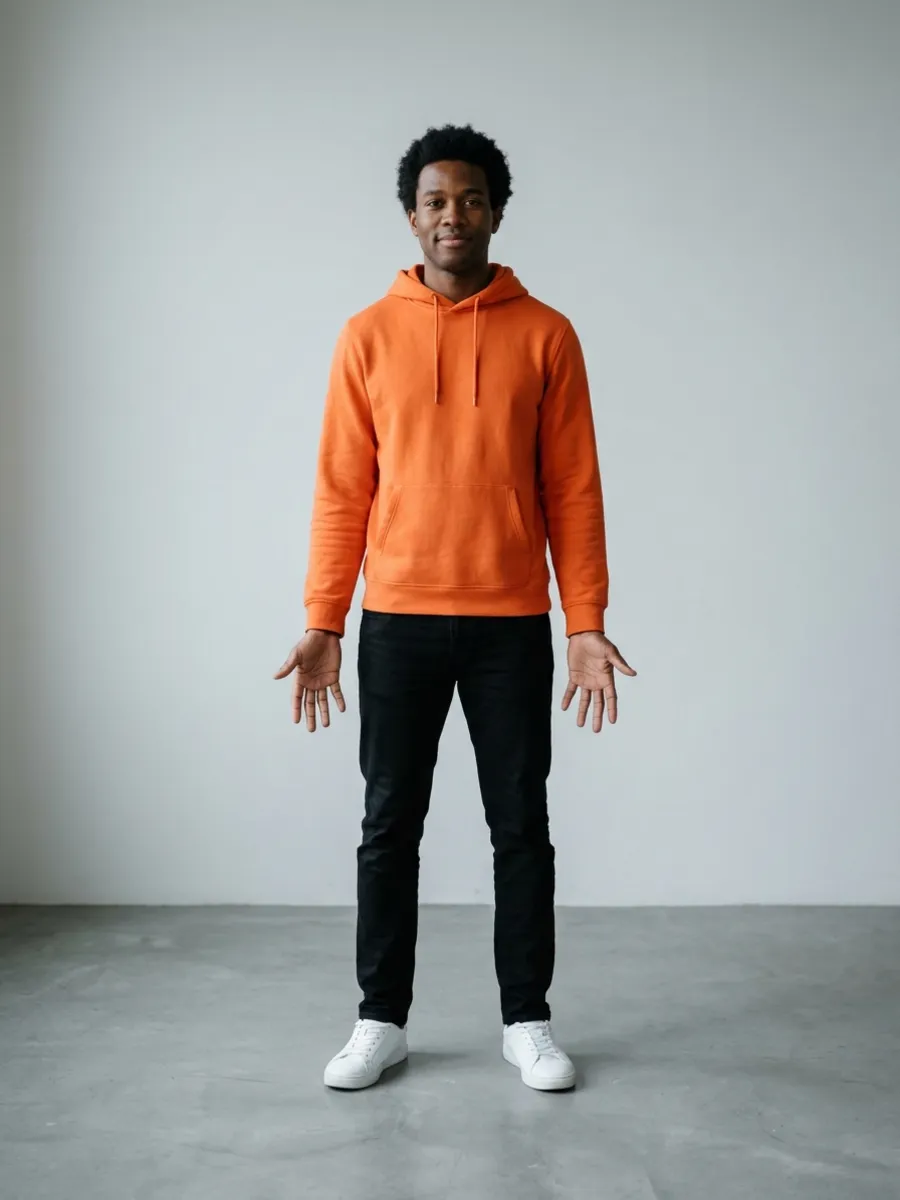
Input photo: one AI-generated adult test person, front-facing
Input photo
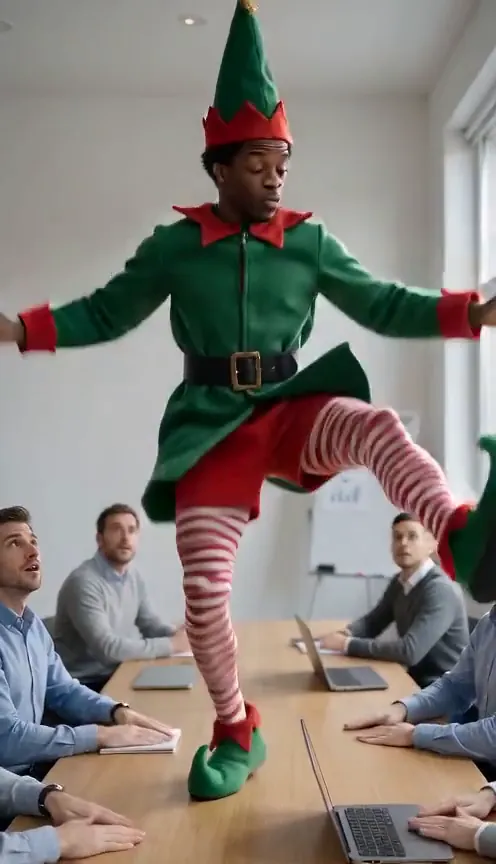
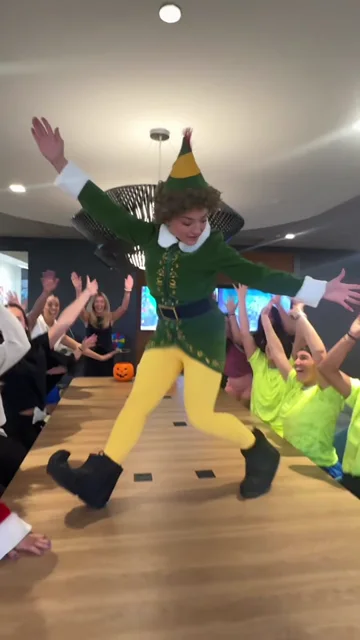
Solo · Meeting Table · 1 photo · AI-generated 4 s test cut (you get 10 s). One generation, not edited.
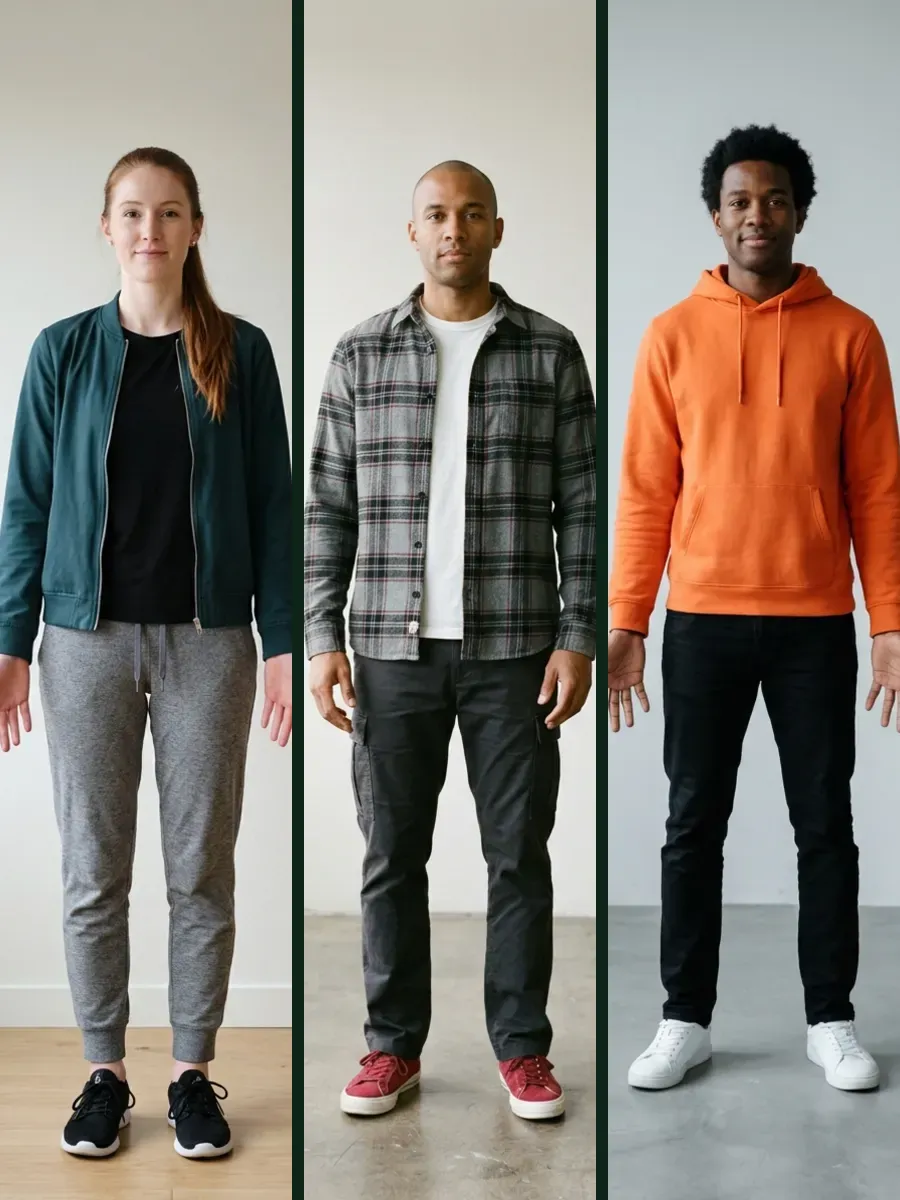
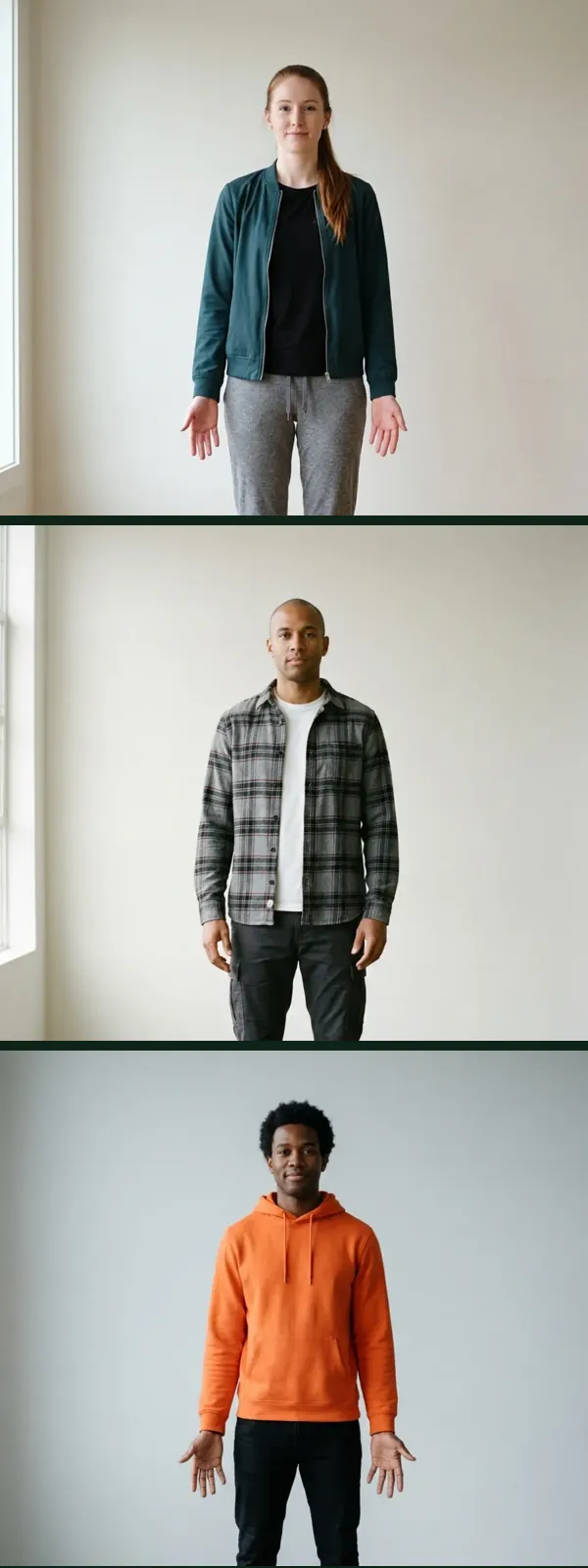
Input photos: 3 AI-generated adult test people, one photo each
3 input photos
Trio · Snowy Porch · 3 photos · AI-generated 4 s test cut (you get 10 s). One generation, not edited.

What you're looking at

Each dancer's face, hair colour and build come from that dancer's own photo. The elf costume and the routine — high knees, the elbows-out squat bounce, Charleston kicks, a heel click — come from us; the scene comes from the one you pick. Your photos work the same way.

Make mine

What is Elf Dance AI?

Elf Dance AI is a browser-based AI video maker that turns 1–3 photos of adults into a 10-second vertical dancing elf video. Each dancer keeps their own face and gets an elf costume; pick Solo, Duo or Trio and one of 4 scenes, then download an MP4 — no app, no subscription. It is an independent tool, not affiliated with ElfYourself®, JibJab or OfficeMax.

Make my elf dance video

How it works

How to use the elf dance video maker: 3 steps

  1. 1. Pick who is dancing and a scene

    Choose Solo, Duo or Trio, then Snowy Porch, Tree-Light Living Room, Toy Workshop or the Office Meeting Table (Solo only). Each dancer needs their own photo.

  2. 2. Upload clear photos

    One clear, front-facing photo per dancer, adults only, full body if you can, in good light. JPG, PNG or WebP up to 10 MB.

  3. 3. Generate and download

    The AI dresses everyone as an elf and animates the routine. Download a 10-second vertical MP4 and add a holiday sound inside TikTok, Instagram or YouTube when you post.

Solo, duo & trio · before and after

Before and after: one photo per dancer, one elf dance

Yes, you can make an elf dance AI video with friends: up to three adults, one photo each, and each dancer keeps their own face and body — not one face pasted onto a cartoon. Below, the input photos and a frame from the finished clip. The meeting table is Solo only.

Solo input photo: AI-generated adult test person, front-facing
Frame from the AI-generated Solo clip: the same person as an elf on the meeting table
AI-generated frame
Before → after: Solo · Meeting Table

Solo

One photo, one elf. High knees, a bouncing squat with your elbows out like wings, Charleston kicks, a side kick with a wave, a one-leg wobble while only your eyes slide to the camera, then a heel click into a smug hands-on-hips finish. Straight face the whole way.

Trio input photos: three AI-generated adult test people, one photo eachFrame from the AI-generated Trio clip: the same three people as elves on a snowy porch
Before → after: Trio · Snowy Porch (3 photos → 1 clip)

Duo & Trio

Two or three photos, one clip with everyone side by side. In Duo one elf kicks forward and the other answers higher; in Trio you stand in a shallow V and the middle elf goes rogue with a tuck jump and a silent cheer while the other two react, then all three snap back in sync for a heel click and a smug finish.

Scenes

4 scenes for your elf dance

Each scene sets the place and the light; your face and hair come from your photo, the elf costume is added for everyone. The three Christmas scenes work for Solo, Duo and Trio; the meeting table is Solo only.

Snowy Porch · Solo, Duo, Trio

The default: a wooden porch at night, swept boards, a wreath on the door and string lights along the snowy railing.

Tree-Light Living Room · Solo, Duo, Trio

A living room in the evening, a lit Christmas tree at the back, a pine garland on a white mantel and plain wrapped presents.

Toy Workshop · Solo, Duo, Trio

A wooden workshop at night: a workbench with wrapped presents, shelves of wooden toys and a lit tree in the corner.

Meeting Table · Solo only

You dance on top of a long meeting table while coworkers sitting around it slap the table on the beat — the office elf joke from TikTok, with your face.

At a glance

Elf Dance AI at a glance

The facts in one place, as of 12 November 2026.

SpecElf Dance AI
TypeAI video generator in your browser (photo to dancing elf video)
Input1–3 photos, one adult per photo; JPG, PNG or WebP, at least 512 × 512 px, up to 10 MB
People per videoSolo (1), Duo (2) or Trio (3)
Scenes4: Snowy Porch, Tree-Light Living Room, Toy Workshop, Meeting Table (Solo only)
Length10 seconds
FormatMP4 download
OrientationVertical 9:16 (TikTok, Reels, Shorts)
Resolution480p
AudioNone: add a sound in the app when you post
PriceFrom $6.99 for 1 video; $3.95 each in the 20-video pack
SubscriptionNone: one-time credit packs, credits valid 365 days
Works oniPhone, Android and desktop browsers; no app to install
Photo storageDeleted automatically after 7 days; never used to train AI
Failed or late videosCredit refunded automatically (not ready after 20 minutes = refunded)

Pricing

Elf Dance AI pricing

Buy a pack of credits once — no subscription. 1 credit makes 1 elf dance video in any mode and any scene, and credits stay valid for 365 days.

Single

$6.99

1 video

  • One-time payment
  • Credits valid for 365 days
  • Solo, duo or trio, any scene

Three-pack

$19.90

3 videos · $6.63 each

  • One-time payment
  • Credits valid for 365 days
  • Solo, duo or trio, any scene

Squad

$39.90

8 videos · $4.99 each

  • One-time payment
  • Credits valid for 365 days
  • Solo, duo or trio, any scene

Party

$79

20 videos · $3.95 each

  • One-time payment
  • Credits valid for 365 days
  • Solo, duo or trio, any scene

Every purchase includes: 1 credit = 1 video in any of the 4 scenes and any mode (Solo, Duo or Trio) · a 10-second 9:16 MP4 download · no subscription · automatic credit refund for failed videos · credits valid for 365 days. Prices shown in USD; checkout shows your local currency where available.

ElfYourself alternative

Looking for an ElfYourself alternative?

ElfYourself® pastes a cut-out of each face onto a cartoon elf body dancing to a song, up to five faces in the current app.[2] Elf Dance AI is different: it generates a new, realistic video of you — head to toe, in an elf costume — doing a real routine in a real-looking scene, up to three adults, one photo each, 10 seconds, no sound. Because it is generated rather than swapped, the likeness can vary a little from clip to clip.

Elf Dance AI is an independent tool and is not affiliated with ElfYourself®, JibJab or OfficeMax. Pick it if you want a realistic clip of yourself or your friends for TikTok, Reels or Shorts; pick the e-card app if you want the classic cartoon look with music built in.

For creators

How to post your elf dance video on TikTok, Reels and Shorts

Your video downloads as a 10-second MP4 without music. Add the sound inside each app — that keeps the music licensed through the platform and lets your video join a sound's page.

Add a holiday sound on TikTok

Upload the MP4 and tap Add sound. Pick a holiday track from TikTok's library, or open the elf dance clip you like, tap its sound name and choose Use this sound. Then open Volume and turn Original sound down to 0. On Instagram and YouTube Shorts it works the same way: add the sound from the app's music library before you post.

TikTok

Upload the video, tap Next, then More options and turn on AI-generated content. TikTok asks creators to label AI videos that show people doing something they didn't do — dancing is its own example — and says the label doesn't affect distribution. TikTok Help: AI-generated content

Instagram and Facebook Reels

Meta asks people to disclose photorealistic video that was digitally created or altered, and may add an "AI info" label. Turn on the AI label when you share. Meta: labeling AI-generated content

YouTube Shorts

In YouTube Studio, set AI use to Yes in the upload details. YouTube requires disclosure when realistic content makes a real person appear to do something they didn't do. YouTube Help: disclosing AI content

Posting for a brand or a client?

In the EU, people who use AI professionally — such as working creators, brands and agencies — must disclose realistic AI-generated video under the AI Act. Brand accounts on TikTok may also be limited to its Commercial Music Library. An "AI-generated" note in the caption plus the platform label is the simplest way. EU AI Act, Article 50

Frame from the AI-generated Trio sample: three adult elves on a snowy porch
Frame from the Trio sample (AI-generated)

Copy-ready caption

Straight face, elf ears, zero rehearsal. Made with AI from one photo each. #elfdance #christmas #aidance #aivideo

On TikTok

The elf dance on TikTok and YouTube

These are real videos by their creators, not made with Elf Dance AI: the office-table clip that took off on 29 October 2026, this season's elf dance clips from TikTok (plus one from last season), and two of the most-watched real elf dance performances on YouTube. Tap a card to play it here.

1–3

dancers per clip, one photo each

10 s

per clip, vertical MP4, no music

4

scenes, from snowy porch to meeting table

Loads TikTok's player

How your email finds me today

7M views · 29 Oct 2026 · Original

By @jewlzwhitneyy · Watch on TikTok ↗

Loads TikTok's player

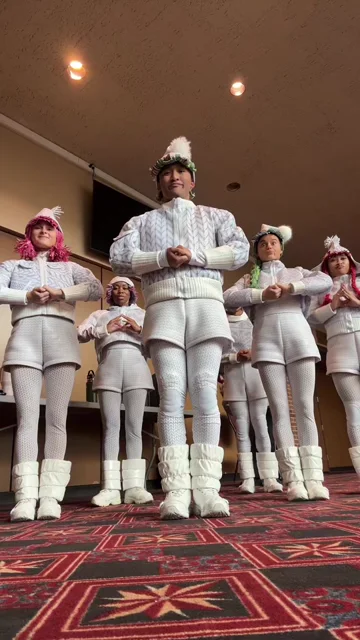
Touring elf dancers are back

142.2K views · 7 Nov 2026 · Original

By @create.every.d4y · Watch on TikTok ↗

Loads TikTok's player

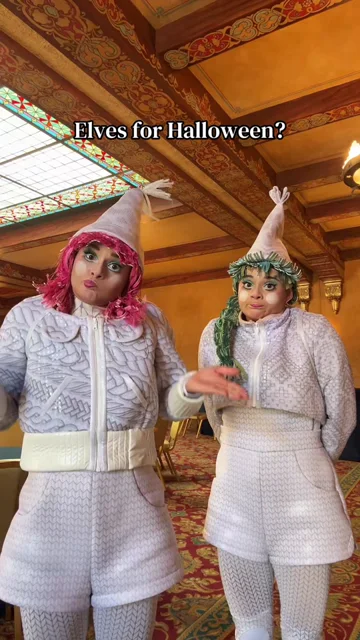
Twin elves for Halloween

21.2K views · 31 Oct 2026 · Original

By @dubuctwins · Watch on TikTok ↗

Loads TikTok's player

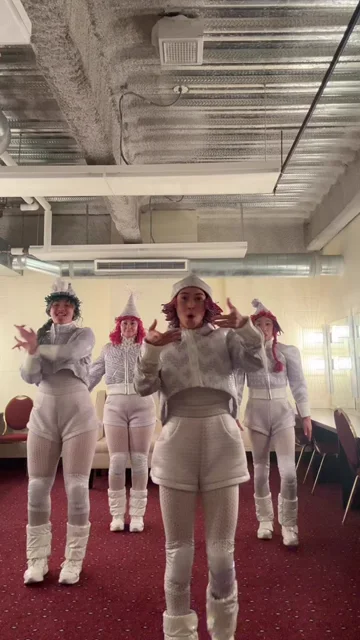
Four elves in sync, backstage (2025)

528K views · 14 Nov 2025 · Original

By @kiarafina · Watch on TikTok ↗

Loads YouTube's no-cookie player

Studio shoot: elf dancer on a white set

341K views · 28 Jul 2009 · YouTube

By KuhlmannStudio · Watch on YouTube ↗

Loads YouTube's no-cookie player

Three real dancers in an office set

239K views · 1 Dec 2016 · YouTube

By LiveMusicGER · Watch on YouTube ↗

Figures from TikTok and YouTube, checked 12 Nov 2026. Videos are embedded with each platform's official player (YouTube without cookies) only after you tap play, and remain the property of their creators.

Privacy and photo safety

Privacy and photo safety: your photos, other people's photos, AI labels

Your photo, or with permission

Only upload photos of yourself or of adults who said yes. That goes for every dancer in a Duo or Trio — and for the coworker you want to put on the meeting table. Major platforms — TikTok, Instagram and YouTube — don't allow AI likenesses of private people without permission.

Adults only

Don't upload photos of anyone under 18, not even for a family Christmas card. AI likenesses of young people are banned across major platforms, and not allowed on Elf Dance AI.

No public figures

Don't use photos of famous people, actors or politicians, and don't use stills from films or TV.

No deceptive impersonation

Don't use Elf Dance AI to pretend to be someone else, to fake a real event, or to make anyone appear to endorse something.

Label it as AI

TikTok, Meta and YouTube all ask you to label realistic AI video. The how-to for each app is in For creators.

What happens to your photos

They are stored at an unguessable web address that isn't listed anywhere, used only for your video and deleted automatically after 7 days. We don't use them to train AI models.

Get it right first time

Photo tips and what happens if something goes wrong

The AI can only keep what it can see. A clear photo is the biggest difference between a great clip and a strange one. Hats, hoods and sunglasses hide what the AI needs; the elf hat is added for you. For Duo and Trio, check every photo: one weak photo shows in that dancer.

  • Do: show your full body
  • Do: face the camera in good light
  • Do: one adult per photo
  • Avoid: feet cut off
  • Avoid: hats, filters, sunglasses
  • Avoid: a group in one photo

If something goes wrong

Photo too small or wrong format

It's checked before any credit is spent. Use a JPG, PNG or WebP of at least 512 × 512 pixels, up to 10 MB.

Upload failed

Nothing is charged. Check your connection and try again.

Not enough credits

You'll see the packs to pick from before anything is charged.

Generation failed

Your credit goes back to your balance automatically.

Took too long

A video that isn't ready after 20 minutes is stopped and its credit is refunded.

The face doesn't look like me

Try a brighter, front-facing photo with no filter and nothing covering your eyes. Small changes to facial details can happen with any AI video.

The trend

What is the elf dance, and where did it start?

"Elf dance" means two things online. The older one is the face-on-an-elf e-card: in December 2006 OfficeMax launched a holiday website where you pasted your friends' faces onto dancing cartoon elves, and it came back every Christmas after that.[1] Today that product is an app that takes up to five faces.[2] Elf Dance AI is a different, independent tool, not affiliated with ElfYourself®, JibJab, OfficeMax or TikTok.

The newer one is on TikTok: people in elf costumes — pointed hats, green coats, striped or yellow tights — doing fast, deadpan routines, often in a line and in sync. The #elfdance tag had about 21,952 videos and 40.3 million views when we checked on 29 October 2026.[3] On 29 October 2026 a clip of an elf dancing on an office meeting table while coworkers drum on it, captioned "How your email finds me today", took off; it had about 7 million plays and 660,000 likes when we checked on 12 November 2026.[4]

Elf Dance AI makes the second kind with your real face: a real-looking you, in a Buddy-style elf costume, doing the routine — not a cut-out face on a cartoon body. Pick the Office Meeting Table scene for the email joke, or one of three Christmas scenes for the classic version.

Dec 2006OfficeMax launches a holiday website that puts your friends' faces on dancing cartoon elves.[1]
Every December sinceThe face-on-an-elf site returns each season; today it is an app with up to five faces.[1][2]
29 Oct 2026The #elfdance tag on TikTok: about 21,952 videos and 40.3 million views.[3]
29 Oct 2026@jewlzwhitneyy posts the elf on the office meeting table, coworkers drumming along: "How your email finds me today".[4]
12 Nov 2026That clip stands at about 7 million plays and 660,000 likes.[4]

Learn the moves

How to do the elf dance, beat by beat

Keep a straight face the whole time — that's the joke. Two moves per second, a new move on every count, and never stop bouncing in between. This is our own routine inspired by the trend, not a copy of any one video; your AI video follows it closely, though not frame for frame.

1. High knees

Knee up to hip height, fists at your chest, switch every count, chin up.

2. The elf squat

Drop into a deep, wide squat, knees out, elbows bent out like wings, and bounce lower, then lowest.

3. Spring up

Pop up on tiptoe with both arms straight overhead.

4. Charleston kick

Kick one foot forward to knee height with your arms swinging back, then kick it back, heel to your seat.

5. Side kick and wave

Side kick to hip height while the opposite hand waves high; then fists on hips and twist.

6. The side-eye

Wobble on one leg, elbows out, still bouncing — only your eyes slide to the camera. Then jazz hands.

7. Heel click finish

A small jump with a heel click, land in the squat with one fist up, pop up, hands on hips, smug look.

FAQ

Elf Dance AI questions

What is Elf Dance AI?

Elf Dance AI is a browser-based AI video maker that turns 1–3 photos of adults into a 10-second vertical dancing elf video. Pick Solo, Duo or Trio and one of 4 scenes; each dancer keeps their face and gets an elf costume, and you download an MP4.

What is the best AI elf dance video maker?

If you want a realistic video of yourself rather than a cartoon, Elf Dance AI is built for exactly that: 1–3 adults, one photo each, an elf costume on everyone, 4 scenes and a 10-second MP4 from $6.99. If you want the cartoon e-card look with music, the ElfYourself® app does that instead.

Can I make an elf dance video from one photo?

Yes. Solo needs exactly 1 clear, front-facing photo of one adult; Elf Dance AI turns it into a 10-second clip of you in an elf costume, dancing. No filming and no editing app needed.

Can I make an elf dance with three people?

Yes: Trio takes 3 photos, one per adult, and puts all three in one clip in a shallow V. The middle elf goes rogue with a tuck jump and a silent cheer while the other two react, then all three snap back in sync. Duo takes 2 photos.

Can four or more people be in one video?

No. One video holds 1, 2 or 3 adults (Solo, Duo or Trio). For a bigger group, make several videos.

Is Elf Dance AI the same as ElfYourself?

No. ElfYourself® pastes a cut-out of your face onto a cartoon elf; Elf Dance AI generates a new, realistic video of you in an elf costume. Elf Dance AI is not affiliated with ElfYourself®, JibJab, OfficeMax or any elf e-card app.

Does it work on iPhone and Android?

Yes. Elf Dance AI runs in Safari, Chrome and other modern browsers on iPhone, Android and computers; upload photos from your camera roll and save the MP4 back to it.

Is there an elf dance app to download?

No download needed: Elf Dance AI is an elf dance app that runs in your browser, so there is nothing to install and no app store account. Bookmark the page to come back.

Does the video look realistic?

It aims for a realistic you, not a cartoon: your face, hair colour and build come from your photo, and the costume, moves and scene are generated at 480p. As with any AI video, small changes to facial details can happen; the samples above are unedited.

Can I choose the dance moves?

Not move by move. Every video uses our elf routine (high knees, the elbows-out squat bounce, Charleston kicks, side kicks, one-leg hops, a heel click and a smug finish); you choose Solo, Duo or Trio and the scene, and the routine adapts to the number of dancers.

Does the elf dance video have Christmas music?

No, the MP4 has no sound. Add a holiday sound inside TikTok, Instagram Reels or YouTube Shorts when you post; that keeps the music licensed through the app.

Can I post it on TikTok and Instagram?

Yes. The MP4 is vertical 9:16 for TikTok, Reels and Shorts. Add a sound in the app and turn on the AI-generated label: TikTok, Meta and YouTube all ask for it on realistic AI video (steps under For creators).

Are my photos used to train AI?

No. Your photos are used only to make your video, stored at an unguessable address and deleted automatically after 7 days. Only upload photos of yourself or of adults who agreed.

How long does it take to generate?

About two minutes for our 4-second test clips: each took 108 s from start to finish on 12 November 2026. A 10-second video can take a little longer; one that isn't ready after 20 minutes is stopped and its credit refunded automatically.

Is Elf Dance AI available in the UK, Canada, Australia and Ireland?

Yes. It works in any browser in the UK, Ireland, Canada, Australia, New Zealand and the US; prices are listed in US dollars and Stripe checkout shows your local currency where available.

How much does Elf Dance AI cost?

$6.99 for 1 video, $19.90 for 3, $39.90 for 8 or $79 for 20, paid once. No subscription. 1 credit makes 1 video in any mode and any scene, and credits stay valid for 365 days.

What is the elf on the office table video?

It's a TikTok posted by @jewlzwhitneyy on 29 October 2026: a person in an elf costume dances on top of a meeting table while coworkers drum on it, captioned "How your email finds me today". It had about 7 million plays when we checked on 12 November 2026.[4] The Meeting Table scene (Solo) puts you on the table; it is our own take, not a copy.

What photos work best?

A clear, front-facing photo of one adult, head to at least the waist, in good light, with the face uncovered (no sunglasses, hats or filters). JPG, PNG or WebP, at least 512 × 512 px, up to 10 MB.

Can I get a refund, and what if a video fails?

A failed video, or one not ready after 20 minutes: the credit comes back to your balance automatically, no request needed. Credits you haven't used: email us within 14 days of the purchase and we refund what you paid for them. A finished video: its credit isn't refunded, but if you're not happy with it, email us within 14 days and we add 1 credit to your account so you can make it again for free, once per video; if a failure on our side or our video provider's side left it unusable, we refund that credit's price in full. Email contact@aielfdance.com with your order number. Our Terms of Service have the details.

Can I use a photo of my child?

No. Elf Dance AI is for adults only: every dancer must be 18 or older and agree to be in the video.